Choosing a stylus is an important step for anyone engaged in digital art. It can really make a difference in the quality of your work. The right stylus affects how comfortably you can create projects and how efficiently your ideas come to life.
Choosing a stylus is an important step for anyone engaged in digital art. It can really make a difference in the quality of your work. The right stylus affects how comfortably you can create projects and how efficiently your ideas come to life.
Before starting, a lot of people find themselves wondering: Which iPad should I choose? With so many options out there, it can be a bit tricky. Let’s break it down so you can get the perfect tablet for your needs.
Today there are four main iPad models to choose from: iPad, iPad Air, iPad mini, and iPad Pro. Each one has its own unique features, so your choice will depend on what you want to achieve, the kind of work you do, and the tasks you plan to tackle.
The iPad mini is super portable thanks to its compact size, but it can be a bit tricky for drawing. The smaller screen can feel cramped, especially if you like to have multiple windows open at once. For example, if you’re using Procreate and want quick access to the image gallery, working on that smaller display can become uncomfortable and limiting.
There are several reasons why I wouldn’t recommend the standard iPad for professional use. The biggest drawback is that it only supports the first-generation Apple Pencil, which I find quite impractical for drawing.
«If you want to learn how to create memorable and expressive sketches on a tablet, I invite you to join my training courses in sketching and SketchUp. No prior experience is required! These courses will equip you with the essential knowledge and skills to work confidently with graphics and produce impressive artworks.»
The memory capacity of the device is crucial when choosing an iPad, especially if you plan to use it for graphic work. While you might consider purchasing an earlier model from 2021 or 2022, I strongly recommend not skimping on memory. Aim for a minimum of 256GB, as Procreate and SketchUp files can take up a significant amount of space.
In 2022 I purchased an iPad Pro 12.9″ with only 128GB of memory as there were few tablets available on the market at the time. After a year and a half of active use, I accumulated over 400 sketches, and the memory was completely full. Eventually, the tablet shut off for good, resulting in the irretrievable loss of all my files. To avoid similar issues, I recommend keeping at least 10GB of free space available at all times. It's important to pay close attention to your device's memory to prevent any problems down the line.
Many people ask about the best screen size to choose. The screen size itself doesn’t impact the tablet's performance; it ultimately comes down to personal preference. Personally, I like larger screens and currently use the 13″ iPad Pro 2024. However, if you prefer more compact models for easier portability, those are also great options. My tablet fits perfectly in my bag, but it's important to select a size that feels comfortable for your daily work.
Since 2021, the iPad Pro and iPad Air have become significantly more powerful, so I recommend considering these models for your purchase. Keep in mind that you don't necessarily need to get the latest version. What truly matters is the device’s memory.
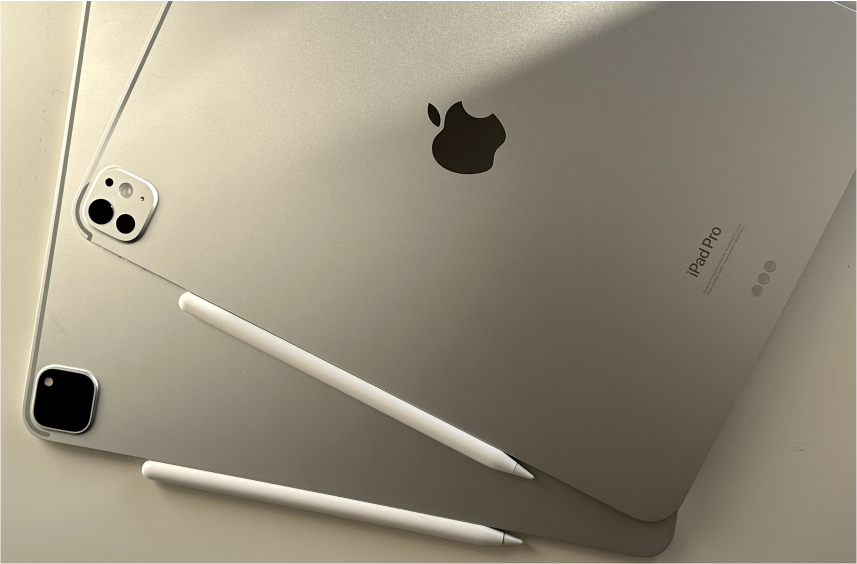
Pay attention, that only the Apple Pencil Pro is compatible with the 2024 iPad Pro, so be sure to check compatibility with your device before purchasing any accessories.