Before starting, a lot of people find themselves wondering this very question. With so many options out there, it can be a bit tricky. Let’s break it down so you can get the perfect tablet for your needs.
Before starting, a lot of people find themselves wondering this very question. With so many options out there, it can be a bit tricky. Let’s break it down so you can get the perfect tablet for your needs.
In the previous article, we discussed which iPad models to consider when making a purchase. Now let’s explore the stylus that can serve as an invaluable tool for artists and designers.
The original Apple Pencil is pressure-sensitive, allowing you to control the density of your lines. The harder you press on the screen, the richer and denser the line becomes, mimicking the experience of drawing with a real pencil on paper.
The sensitivity of the original Apple Pencil surpasses that of other styluses. It responds instantly to every touch, providing a smooth, uninterrupted drawing process. Unlike other styluses, there is no delay. The line appears immediately as you move the pencil. Using a different stylus can result in frustrating lag, disrupting your creative flow.
The second-generation Apple Pencil and Pro version charge directly from the iPad. They conveniently magnetize to the side edge of the device, ensuring your stylus is always within reach and charged. This feature reduces the risk of misplacing it and allows you to start drawing at a moment's notice.
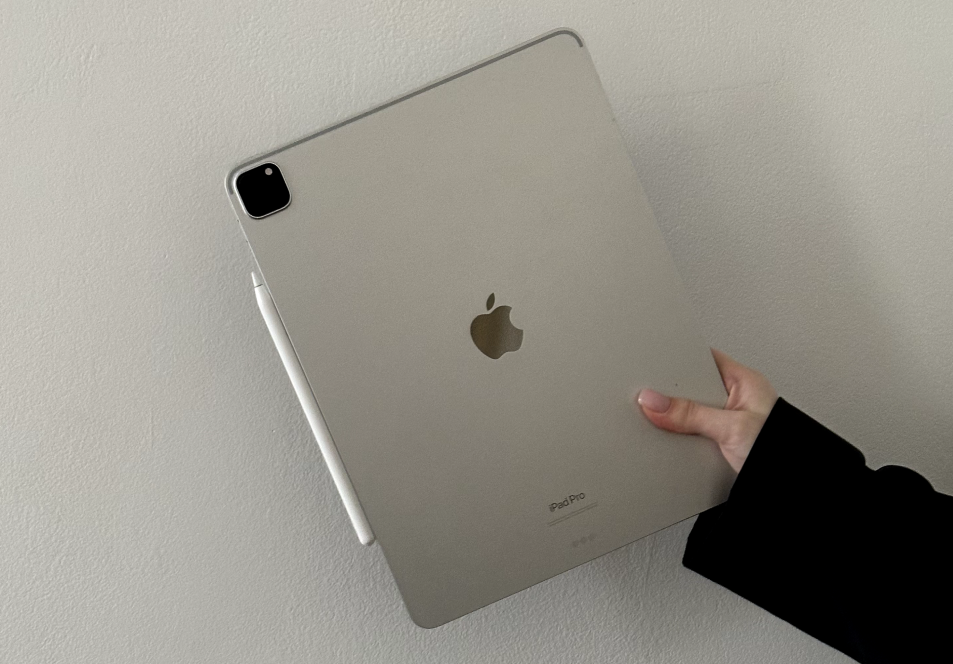
To sum it up, it’s better to opt for the original Apple Pencil. When it comes to a stylus, it's not an area where you should cut corners. Your comfort and the quality of your work directly depend on the tools you use.
«If you want to learn how to create memorable and expressive sketches on a tablet, I invite you to join my training courses in sketching and SketchUp. No prior experience is required! These courses will equip you with the essential knowledge and skills to work confidently with graphics and produce impressive artworks.»
Apple offers several stylus options: the first-generation Apple Pencil, second-generation Apple Pencil, Apple Pencil USB-C, and Apple Pencil Pro. Let's explore the features of each and determine which iPad models they're compatible with.
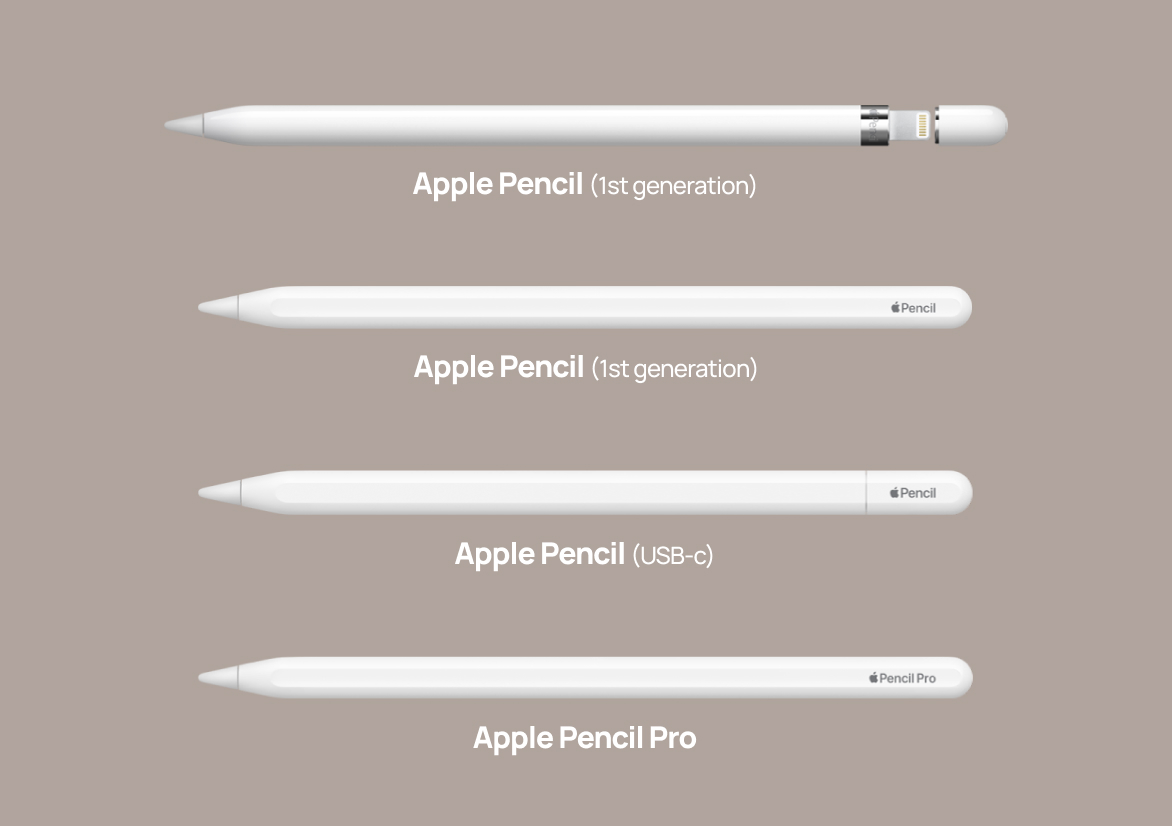
The first-generation Apple Pencil has some drawbacks: it charges via the tablet's connector and lacks a magnetic attachment, making it less convenient to use and increasing the risk of loss. Additionally, it is less sensitive compared to the second-generation model. If your iPad has a magnetic attachment, it supports the second-generation Apple Pencil. Otherwise, only the first-generation stylus will work for you.
iPad Models Compatible with the 1st Generation Apple Pencil:
The second-generation Apple Pencil is the most comfortable and suitable for drawing thanks to its high sensitivity, magnetic attachment, and the convenience of charging directly from the tablet. If your iPad supports this model, it’s a great choice.
iPad Models Compatible with the 2nd Generation Apple Pencil:
This is a stylus that I wouldn't recommend purchasing. While the lower price may be tempting, it is not suitable for quality drawing. It lacks pressure sensitivity, which is essential for creating professional illustrations. As mentioned earlier, drawing without this feature is nearly impossible. For this reason, it’s best to steer clear of the Apple Pencil USB-C.
The Apple Pencil Pro is a modified version that allows you to activate additional functions with a light pinch of your fingers, opening a customizable menu for quickly switching between tools and personalizing functions to your preferences. This stylus conveniently attaches to your tablet, stays charged at all times, and holds a charge for an extended period, making it a reliable choice. It is one of the most convenient styluses for professional use, and it is my top recommendation.
iPad Models Compatible with Apple Pencil Pro:
Pay attention that the Apple Pencil Pro is only compatible with the latest iPad Pro and iPad Air models. Other versions of the Apple Pencil will not work with these devices.
Choosing a stylus is a crucial step for anyone involved in digital art, as it directly impacts the quality of your work. The original Apple Pencil, particularly the second-generation and Pro versions, offer excellent quality and convenience. Investing in a good stylus is essential, as its functionality will determine how comfortably you can create projects and how efficiently your ideas come to life.